
FOH desk
One line-level programme feed.
From site map to show day
The value is in the handover: a design that reaches the installers, an installation that updates the design, and timing that reaches the receivers.
Your audio path
One line-level programme feed.
Broadcast authenticated audio on 2.4 GHz.
Play to the shared clock, with its own delay.
Short line-level lead. Local speaker power.
01 / Planner
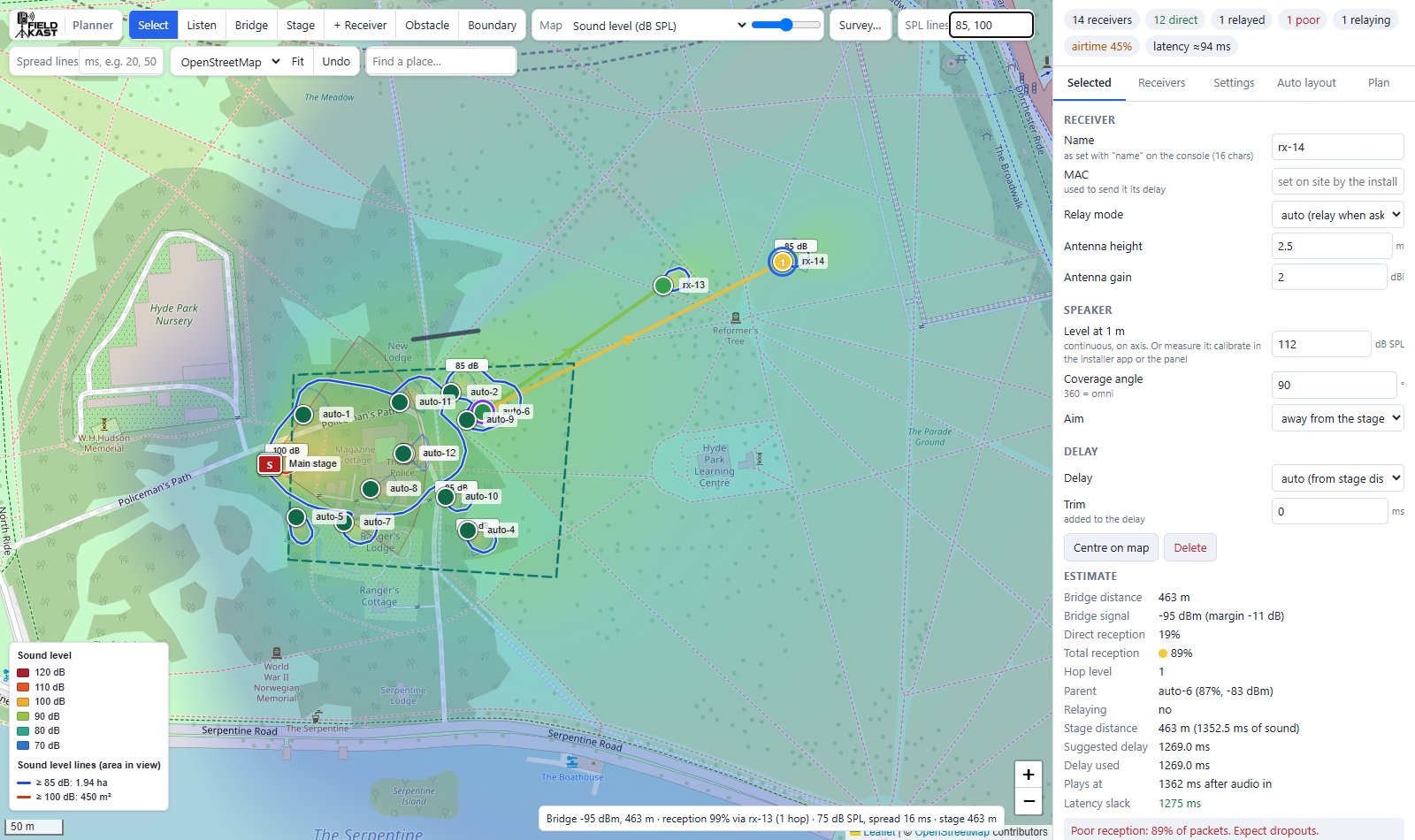
Draw the audience area and set coverage and spill targets. Auto layout suggests positions, aiming and levels; you review the result and refine it.
Use Listen with your own audio file. Move the listener on the map to compare the modelled level and arrival times from the stage and speakers.
Listen is a planning simulation. It does not model reflections or reception dropouts. The sound model also omits wind, ground effects and crowd absorption of sound.
02 / Installer app
Open the saved plan on a phone, walk to each marked position, scan the receiver’s QR code and aim the speaker with compass guidance.
Record the real position, bearing and measured test-noise level. Save the installed plan back to the planner so timing is based on the build, not just the drawing.
Phone GPS and compasses have limits. Check the position and aim on site; use a suitable sound-level meter for final checks.
A cleaner handover
One job record, ready to use again next year.
03 / Control panel
Reception, losses, relay routes and timing margin show where attention is needed. Adjust each receiver’s volume, mute it, identify it or change its delay remotely.
Apply the planner’s delay file to the fleet in one operation, with confirmation of units that answered. Export measured levels back to the plan after the show.
Audio and control commands are authenticated. Receivers reject unverified audio. Radio jamming and interference can still interrupt reception.
One place to look
Control summary, not a live device display.
Listen for yourself
A local speaker that plays too early can pull the sound away from the stage. Timing brings the two arrivals together.
This two-source demonstration illustrates arrival timing near a delay speaker. It is separate from the full FieldKast Planner.
Choose an audio file to begin. It stays on your device.
Model: 343 m/s, 94 ms link latency, 10 ms precedence offset; equal source levels, no reflections or dropouts. Listen at a comfortable volume.
Field survey
Walk-test reception, record GPS readings in FieldKast Survey, and import the results onto the planner’s map. Tune the planning margins to your site. After the show, keep measured levels and the installed plan for the next job.
Read the technical guides